



Competitor backlink analysis means looking up the links that point to sites outranking you, then finding the ones you can earn too. You enter a competitor’s domain into a backlink checker, review who links to them, and turn the best sources into a target list.
This guide shows how to choose the right competitors, which free and paid tools to use, and how to read the data. You will also learn how to rank your opportunities and which competitor links to skip, so you stay within Google’s rules.
What Competitor Backlink Analysis Is and Why It Still Works in 2026
Backlinks are the core of this method, so it helps to be clear on what the analysis involves and whether links still deserve your time.

Competitor backlink analysis is the process of studying the links that point to competing websites to find link-building opportunities and understand how your rivals earn their links. You look at who links to them, which pages attract those links, and which of those sources you could realistically earn too.
Every link a competitor has comes from a site that already chose to link to content like yours. That makes it a warmer prospect than a random site.
Here is the process in six steps:
- Pick three to five sites that rank for your target keyword.
- Run each one through a backlink checker.
- Review their referring domains, most linked-to pages, and anchor text.
- Compare their links against your own to find gaps.
- Score each gap by relevance, authority, link type, and effort.
- Earn the best links through outreach or better content.
The rest of this guide explains each step.
Are backlinks still relevant in 2026?
Yes, but their weight is debated, and quality matters far more than volume. Google has not dropped links as a signal, but its own people have played down how much they count.
At PubCon Austin in 2023, Google’s Gary Illyes said links were not among the top three ranking factors. He did not say they were unimportant. In April 2024, he was also reported to have said that Google needs very few links to rank pages, and he later confirmed he made that remark. You can read the coverage from Search Engine Journal and Search Engine Roundtable.
Google’s spam policies still include a dedicated link spam section, which shows that manipulated links remain a real concern.
Treat links as one signal among many. A few relevant, editorial links are worth more than a pile of weak ones. Analysis helps you find the good ones.
Must Read: Contextual Backlinks: What They Are and How to Build Them
How to Choose the Competitors Worth Analyzing
The sites you study shape everything that follows, so choose them with care.

SEO competitors are the sites that rank for the keywords you want, and they are not always your business rivals. A large publisher may never sell what you sell, yet still outrank you for your main keyword. That publisher is who you study.
There are two ways to look at competitors:
- Domain-level competitors rank across many keywords in your niche. They show you the overall link strategy in your market.
- Page-level competitors are the specific pages ranking for one keyword. They often give the clearest link targets, because you can see exactly which links support a page like the one you want to write or improve.
To find them:
- Search your target keywords in a private or incognito window. Note the domains that appear again and again in the top 10.
- Use the “SEO competitors” or “organic competitors” report in your SEO tool if you have one.
Pick three to five competitors. Fewer than three can hide patterns. More than five creates noise and slows you down.
Skip sites whose links you could never realistically match, such as huge news brands or marketplaces. You can still glance at them, but do not build your plan around them.
Use this checklist to decide who makes the list:
- They rank in the top 10 for your target keyword
- Their content is similar to what you offer or plan to publish
- Their site is a similar size or a little larger
- Their links come from sources you could reasonably earn
Example (hypothetical): A local plumbing company searches “water heater repair” in its city. The top results are two directory sites, a home-services marketplace, and one other local plumber. The real SEO competitors are the directories and the other plumber. The marketplace is too big to copy, so the company studies the other three.
Free and Paid Competitor Backlink Checkers
Free tools can show a competitor’s backlinks, but they cap what you see. Here is what each one offers and when it makes sense to upgrade.
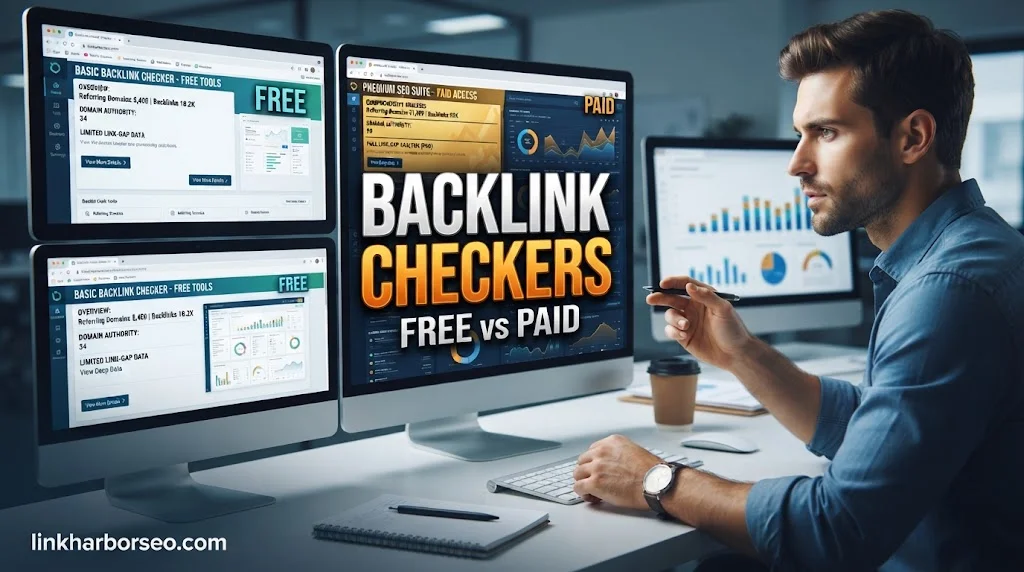
Yes, you can check competitor backlinks for free. Free options include the backlink checkers from Ahrefs, SE Ranking, SEO Review Tools, and Backlink-Tool.org. Each limits how much you can see, so they work best for a first look.
One clarification first: Google Search Console cannot check competitors. It shows only the links to sites you own and have verified.
| Tool | Cost | What you can see | Main limit |
|---|---|---|---|
| Ahrefs Free Backlink Checker | Free | Referring domains, backlinks, Domain Rating, and Ahrefs Rank, according to Ahrefs | Ahrefs describes it as a preview of its premium tool |
| SE Ranking Backlink Checker | Limited free checks; 14-day trial | Referring domains, backlinks, trust scores, toxicity score, anchor texts | The free box gives a snapshot only, with a daily check limit |
| SEO Review Tools Backlink Checker | Free | Up to 100 backlinks, one link per domain, anchor text, follow/nofollow label, CSV export | 100-link cap, not real-time, and the page shows a usage-credit meter, so check current limits |
| Backlink-Tool.org Backlink Checker | Free | Total backlinks, referring domains, follow/nofollow split, anchor text | Check the site for current limits |
| Paid suites (Ahrefs, Semrush, SE Ranking) | Paid | Full profiles, gap reports, link tracking | Cost |
Limits change often, so confirm the current details on each tool’s page before you plan around them. Ahrefs also offers a free plan, but it covers your own site, not competitors.
The paid gap tools work like this:
- SE Ranking’s Backlink Gap Analyzer compares your profile against up to five competitors.
- Ahrefs offers Link Intersect.
- Semrush’s Backlink Gap tool compares up to five competitors and exports the data to Excel or CSV. semrush
All three show domains that link to your competitors but not to you. Other SEO suites also bundle keyword research, rank tracking, and site audits, but this guide stays focused on backlinks.
Which tool should you pick?
You do not need every tool. Use this as a guide:
- Just starting, or checking one competitor: a free checker is enough.
- Comparing three or more competitors regularly, or needing full exports and gap reports: a paid suite saves time.
Why different tools show different backlink numbers
Every tool runs its own crawler and index, so no two tools report exactly the same links. One tool may find a link that another has not seen yet. Vendors also publish index-size figures, but those are self-reported, so do not rank tools by them.
The practical rule: pick one tool for your comparisons and stick with it. Treat the numbers as estimates, and focus on patterns instead of exact counts.
How to Analyze a Competitor’s Backlinks Step by Step
The process is the same for every competitor. Do it once, then repeat.

To analyze a competitor’s backlinks, enter their domain or ranking page into a backlink checker. Review the referring domains, most linked-to pages, and anchor text. Then compare that data with your own profile to find gaps.
Follow these steps for each competitor:
- Enter the target. Type the competitor’s domain into your backlink checker. For a page-level look, enter the URL of the specific page that outranks you.
- Read the overview. Note the number of referring domains, total backlinks, and the tool’s authority score.
- Open the referring domains report. Sort by authority or relevance, and look at who the strongest linkers are.
- Check the most linked-to pages. Ahrefs calls this “Best by links,” and SE Ranking has a pages report. These pages show which content earns links in your niche.
- Review anchor text. Look for the mix of brand names, plain URLs, generic phrases, and keywords.
- Note the link types. Is each link an editorial mention, a resource page, a directory, a guest post, or something else?
- Record the promising links. Put them in a spreadsheet with the linking page, the target page, and a quick note.
Metrics that matter, and how to read them
These are the numbers worth your attention.
| Metric | What it tells you | How to use it |
|---|---|---|
| Referring domains | How many unique sites link to the target | The best measure of link breadth. One site can create thousands of links, so do not rely on totals alone |
| Total backlinks | Raw link count | Useful for scale, weak on its own |
| Authority score (Ahrefs DR, Semrush Authority Score, SE Ranking Domain Trust, Moz DA) | The vendor’s own estimate of link strength | A useful shortcut, but not a Google metric |
| Follow vs. nofollow | Whether links pass standard signals | A natural profile has both. Do not dismiss nofollow links, since Google treats these attributes as hints |
| Anchor text mix | How others describe the target | If a competitor’s anchors are mostly brand names, do not chase keyword anchors for your own links. Heavy exact-match anchors can look manipulative |
| Relevance | Whether the linking site fits the topic | Often more useful than raw authority. One relevant link can beat several unrelated ones |
| Link growth over time | Referring domains gained and lost (Ahrefs and SE Ranking both describe charts for this) | Shows whether a competitor is actively earning links now or coasting |
Google’s 2019 announcement on nofollow explains that the sponsored, ugc, and nofollow attributes are all treated as hints about which links to consider or exclude. You can read it in Google’s announcement on link attributes.
Link types and what each one tells you
The type of link often decides whether you can replicate it. Use this table to classify what you find.
| Link type | What it looks like | How easy to replicate | What it tells you about the competitor |
|---|---|---|---|
| Editorial mention | A writer cites the page in an article | Hard | Their content earns attention on its own |
| Resource page | A curated list of helpful sites | Medium | They are seen as a trusted reference |
| Roundup or list post | “Best tools for X” articles | Medium | They pitch writers or have a standout page |
| Directory | A listing in a business or niche directory | Easy | Basic foundation links, often low differentiation |
| Guest contribution | An article written for another site | Medium | They pitch outside sites for exposure |
| Forum or comment link | A link in user-generated content | Easy | Community activity, usually low value |
| Sponsored link | A paid placement | Easy | They may pay for placements, which should be labeled |
Google’s documentation on qualifying outbound links recommends rel=”sponsored” for paid placements and rel=”ugc” for links in user-generated content such as comments and forum posts. See Google’s guide for details.
How to Find Link Gaps and Prioritize the Best Opportunities
Once you know who links to your competitors, the next question is who does not link to you. That difference is your list of opportunities.

A link gap (also called a backlink gap or link intersect) is a list of domains that link to one or more competitors but not to your site. The best prospects are domains that link to several competitors. A site that links to three rivals is likely open to linking to you.
Method A: Use a paid gap tool
Enter your domain and two to five competitors into a gap report such as SE Ranking’s Backlink Gap Analyzer, Ahrefs Link Intersect, or Semrush Backlink Gap. Then filter the results to domains that link to at least two competitors but not to you.
Method B: Build a free manual gap in Google Sheets
If you do not want to pay, you can approximate a gap with free exports. This is a sample-based method, not a full picture, because free tools cap their results. SEO Review Tools, for example, returns up to 100 links per check.
- Export the backlink list for your site and each of two or three competitors to CSV. SEO Review Tools offers a CSV export.
- Paste the referring domains from each export into its own tab in Google Sheets. If your export lists full URLs, extract just the domain, and make sure
wwwand non-wwwversions match so the same site is not counted twice. - Create a master tab with all unique domains. You can use the
UNIQUEfunction to combine the lists. - In the master tab, add one column per site with a formula like this, which returns 1 if the domain appears on that site’s tab and 0 if not:
=IF(COUNTIF(CompetitorA!A:A, A2)>0, 1, 0)- Add a total column for the competitors. Then filter for rows where your column is 0 and the competitor total is 2 or more.
The result is a short list of domains that link to more than one competitor but not to you. Treat it as a starting list, not a final one.
Verify each gap before outreach
Confirm two things before you pitch anyone. First, check that the competitor’s link is still live by opening the linking page. Second, check that the site does not already link to you.
The second check matters because free lists are capped samples, so a domain that already links to you can show up as a gap. Google Search Console’s Links report lists sites that link to your own site, but the external links it shows are a sample of what Google found, so also search the site for your brand name.
How to prioritize your list
You will likely end up with more prospects than you can contact. This simple scoring method is our own suggested approach, not an industry standard. Score each prospect from 1 to 3 on four points, where 3 is best:
- Relevance: how closely the site matches your topic
- Authority: how strong and trusted the site appears
- Link type: how valuable the link would be (editorial and resource links score higher than forum links)
- Effort: how easy it is to earn (3 means easiest)
Add the scores. Start with the highest totals.
Example (hypothetical data, for illustration only): A small online shop selling gardening supplies scores four prospects.
| Prospect (fictional) | Relevance | Authority | Link type | Effort | Total |
|---|---|---|---|---|---|
| gardening-resource-hub.example (resource page) | 3 | 2 | 3 | 2 | 10 |
| regional-news-roundup.example (list post) | 2 | 3 | 3 | 1 | 9 |
| homeowner-forum.example (forum link) | 2 | 1 | 1 | 3 | 7 |
| general-directory.example (directory) | 1 | 1 | 1 | 3 | 6 |
The shop should start with the resource page. The general directory ranks last because it is unrelated and low value, even though it is easy.
How to Turn Competitor Links Into Your Own, and Which Ones to Skip
A list only helps if you act on it. These tactics fit competitor research, and the second half covers what to leave alone.

Tactics that fit competitor research
- Resource page outreach. If a competitor is listed on a curated resource page, show the page owner what your content adds for their readers.
- Broken link building. Find a competitor’s page that returns a 404 error but still has links pointing to it. Create a useful replacement, then offer it to the sites that linked to the dead page. Ahrefs’ backlink checker page notes that a “404 not found” filter helps find these.
- Content enhancement. Study a competitor’s most linked-to page. Build a clearer, more current, or more complete version, then reach out to sites that linked to the original.
- Guest contributions. If competitors publish on certain sites, pitch those sites a topic that fills a gap in their content.
- Relevant directories and roundups. Submit to those that fit your topic and are actively maintained.
- Unlinked brand mentions. Search for pages that mention your brand without linking, and politely ask for a link.
A good pitch is short. Address the person by name, say which page you mean, explain what your content adds for their readers, and make the next step easy.
What not to copy
Not every competitor link is worth having. Some may put you at risk if you copy the method.
Google’s spam policies define link spam as creating links to or from a site primarily to manipulate search rankings. Examples include:
- Buying or selling links for ranking purposes
- Excessive link exchanges
- Using automated programs to create links
- Low-quality directory or bookmark site links
- Widely distributed links in footers or templates
- Keyword-rich links in guest posts or press releases distributed on other sites
Read the full Google spam policies before you build an outreach plan.
| Usually safe | Risky or against Google’s policies |
|---|---|
| Editorial links earned by useful content | Buying links that pass ranking credit |
| Relevant resource page listings | Large-scale link exchanges |
| Guest articles with natural, brand-focused anchors | Guest posts or press releases pushed out with keyword-rich anchors |
| Relevant, well-maintained directories | Low-quality directories and bookmark sites |
| Paid placements marked rel=”sponsored” | Paid links with no attribute |
| Broken link replacements that help the linker | Automated link creation or spammy forum signatures |
Copying the source type of a legitimate editorial link is standard practice. Buying links or joining a link scheme is what breaks the rules.
Also, do not use Google’s disavow tool as a routine step. Google says it is meant for cases with a considerable number of spammy or low-quality links that have caused, or likely will cause, a manual action. Read Google’s disavow guidance before you use it. It applies to links pointing at your own site, not to your competitors.
Common mistakes
- Trusting authority score alone. A relevant link from a modest site can beat an unrelated link from a big one.
- Chasing site-wide or footer links. They can look like a template link, not an editorial choice.
- Skipping verification. A “gap” may already link to you, or the competitor’s link may be gone.
- Copying links you cannot verify are safe. Check each source before you build your plan around it.
- Analyzing once and stopping. Competitors keep earning links, so revisit your list from time to time.
A quick checklist
- I verified that each gap is real
- I scored each prospect for relevance, authority, link type, and effort
- I removed spammy or unrealistic prospects
- I matched each prospect to a tactic
- I have a reminder to re-check my competitors
To see whether the work pays off, track the new referring domains you earn and the rankings of the pages you targeted. Once a month, or before each outreach push, is a reasonable rhythm for re-checking competitors. That is practical advice, not a Google rule. Do not expect a fixed timeline, because results depend on your niche and your content.
FAQs
These are quick answers to questions that come up during the analysis.
Can you see any website’s backlinks?
Mostly, yes. Backlinks are public links on the web, so tools can find many of them. But no tool sees every link, and each one reports a different set. Search Console shows only your own site.
Is it okay to copy a competitor’s backlinks?
Earning links from the same kinds of sites that link to competitors is common and legitimate. Buying links, trading them at scale, or using automated tools is against Google’s spam policies. Focus on earning links with useful content and honest outreach.
How often should I check competitor backlinks?
A quick check once a month, or before each outreach campaign, is practical for most sites. Check more often only if your niche moves fast.
What is the difference between competitor backlink analysis and link gap analysis?
Competitor backlink analysis studies a competitor’s whole link profile. Link gap analysis compares profiles to find domains that link to them but not to you. The gap report is one output of the wider analysis.
Conclusion
Competitor backlink analysis turns link building from guesswork into research. Pick a few real SEO competitors, pull their profiles with a trusted tool, and find the sites that link to them but not to you. Verify each gap, score the prospects on relevance, authority, link type, and effort, then go after the best ones in ways that follow Google’s rules.

1 comment on “Competitor Backlink Analysis: A Step-by-Step Guide”